
Getting your documents to us is quick and secure – let us walk you through it step-by-step. In just a few clicks, you’ll have everything uploaded to your personal loan portal so we can keep your loan moving smoothly.
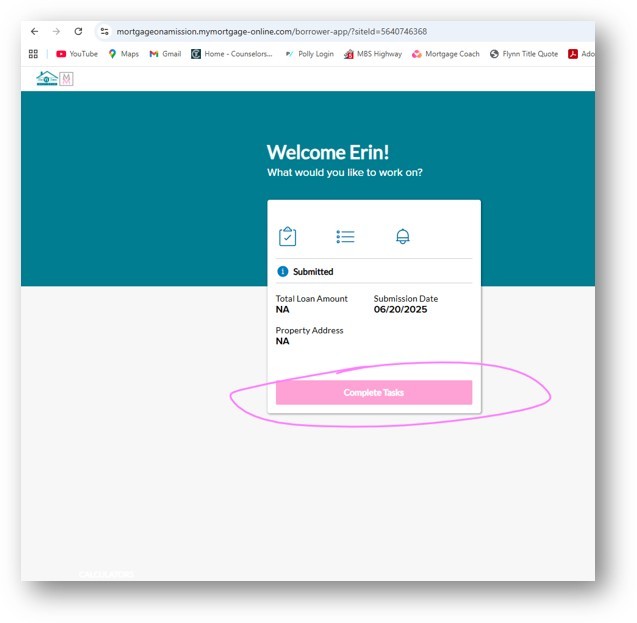
Start by logging into your secure loan portal (button below) with your unique username and password. You’ll use these throughout the process, so it’s a good idea to save them somewhere handy. Once you’re in, you’ll land on the welcome screen shown below.
Click Complete Tasks.
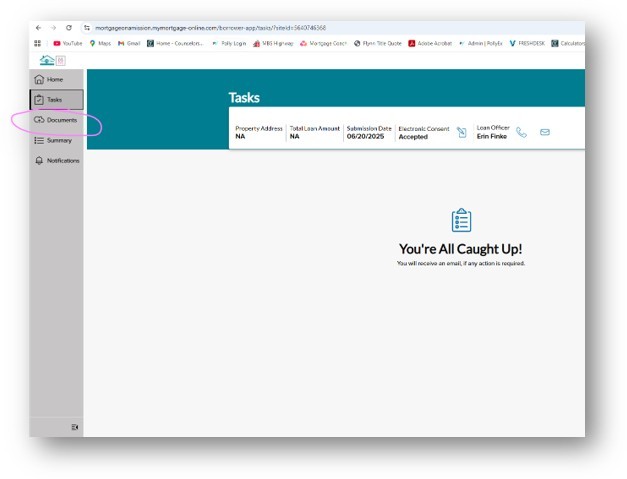
Next, click Documents on the left hand side of the screen.
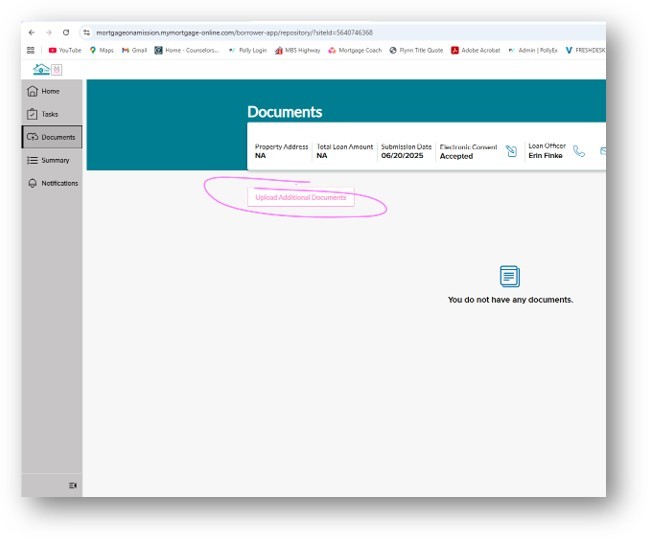
Now click Upload Additional Documents.
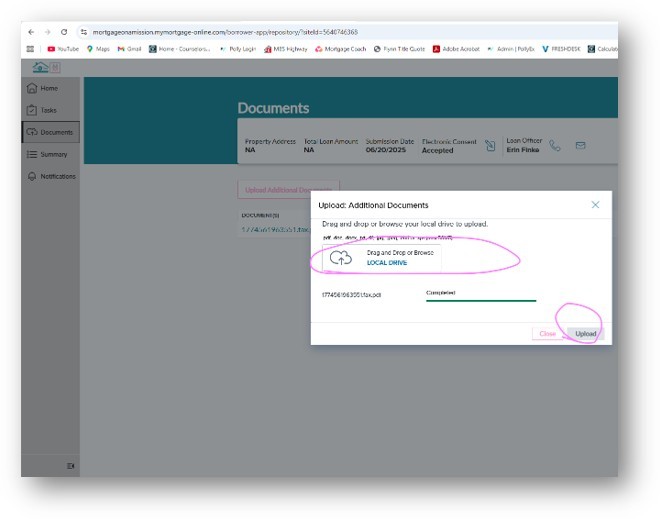
From here, you can drag and drop documents from your computer, OR click Local Drive to search your hard drive and select the documents you want to upload. Then click Upload.
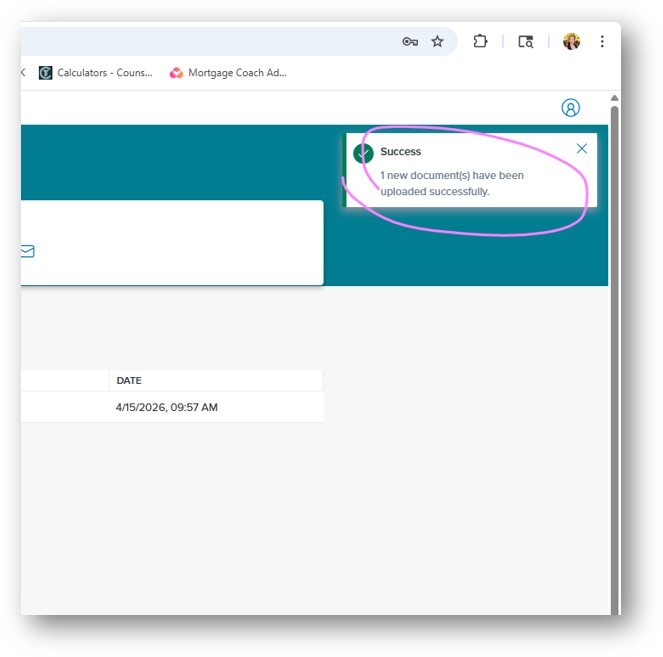
Success! Once the documents have been successfully uploaded, an alert will pop up on the top right of your screen. You’ll see the number of documents that have been uploaded.
Still Have Questions?
That’s all there is to it. But if you still have questions? No problem! Click here to contact your loan officer who can answer your questions and get you on track to that dream home loan!